


Most small business owners treat their Google Business Profile like a set-it-and-forget-it directory listing. That’s the problem. Google Business Profile optimization is the ongoing process of refining your profile’s information, content, and engagement signals so you show up in local search results and the Map Pack, and actually convert those views into calls, visits, and revenue. Done right, it’s one of the highest-leverage, lowest-cost growth levers available to any local business in 2026.
If your profile hasn’t been touched since you created it, you’re leaving visibility and money on the table. Below is a step-by-step framework to fix that.
What Is Google Business Profile Optimization?
Google Business Profile optimization means strategically completing, structuring, and maintaining every element of your profile so Google’s algorithm, and your future customers, trust you more than the competition down the street. It covers everything from your business categories and description to photos, posts, reviews, and Q&A.
Think of your profile as a mini-landing page that lives inside Google Search and Maps. Every field you leave blank, every outdated photo, and every unanswered review is a small crack in your local credibility. Optimization closes those cracks systematically.
Why Google Business Profile Optimization Matters More in 2026
Local search results are now dominated by AI-generated summaries, and Google is pulling directly from Business Profile data to populate those answers. If your profile is thin or inconsistent, AI search tools simply won’t surface you as a trustworthy answer.
This shift mirrors what’s happening across search more broadly. Answer engines are replacing traditional blue links, and businesses that don’t structure their information clearly get skipped entirely. The short version for local businesses: a sloppy Business Profile is now an AI visibility problem, not just a Maps problem.
Step 1: Claim and Verify Your Profile Correctly
If you haven’t formally claimed and verified your listing through Google, none of the optimization steps that follow will hold weight. Verification confirms to Google that you’re the legitimate owner, which unlocks full editing access and boosts trust signals from day one.
Go to business.google.com, search for your business, and follow the verification flow, usually a postcard, phone call, or email depending on your business type. Skipping this step is the single most common reason profiles underperform.
Step 2: Nail Your NAP Consistency
NAP stands for Name, Address, and Phone number, and it must match exactly across your website, profile, and every other directory listing online. Inconsistent NAP data confuses Google’s algorithm and directly undermines your local ranking potential.
Even small discrepancies, like “St.” versus “Street” or a missing suite number, can dilute the trust signals Google uses to rank you. Audit your website footer, contact page, and any third-party directories (Yelp, Facebook, industry-specific sites) to make sure everything matches your profile exactly.
Step 3: Choose the Right Categories
Your primary category is one of the strongest ranking factors in the entire profile, so it needs to describe your core business as precisely as possible, not the broadest category available. A general contractor shouldn’t select “Construction company” if “Kitchen remodeler” more accurately reflects their main service line.
Add secondary categories to capture adjacent search intent, but don’t overload the list with irrelevant tags just to appear in more searches. Google penalizes profiles that look unfocused or spammy.
Step 4: Write a Description That Actually Converts
Your business description should lead with what you do, who you do it for, and what makes you different, all within the first sentence or two, since Google often truncates longer descriptions in search results. This isn’t the place for vague mission statements; it’s the place for clear, specific positioning.

Include your primary service keywords naturally, mention your service area, and close with a subtle call to action. Avoid keyword-stuffing. Google’s systems (and human readers) can tell the difference between strategic language and spam.
Step 5: Optimize Photos and Videos
Profiles with high-quality, regularly updated photos receive significantly more requests for directions and website clicks than profiles with sparse or outdated imagery. Photos are a trust signal and a conversion tool at the same time.
Upload real photos of your storefront, team, products, and completed work, not stock imagery. Update your cover photo seasonally, and add short videos showcasing your space or process if possible. This is also where a well-built website matters: if your landing pages don’t match the quality of your profile visuals, you lose momentum right when a prospect is closest to converting.
Step 6: Build a Review Generation and Response System
Reviews are the single most influential trust signal on your entire profile, directly impacting both ranking and click-through rate. A business with 150 reviews at 4.8 stars will consistently outperform a competitor with 12 reviews at 4.9 stars. Volume and recency matter as much as rating.
How do I get more Google reviews consistently?
The most reliable way to generate consistent reviews is to build a simple, automated request system triggered right after a purchase or service completion, not a one-off ask. Manual, inconsistent requests produce inconsistent results.
Set up an automated text or email sequence that goes out within 24 hours of service completion, include a direct review link, and follow up once if there’s no response. This is exactly the kind of structured, reliable follow-up system a well-configured CRM management setup is built to handle, removing the guesswork and the manual labor from an otherwise chaotic process.
Should I respond to every review, including negative ones?
Yes, responding to every review, positive or negative, signals to Google and to prospective customers that your business is active and accountable. Silence on a negative review reads as neglect, even when the review itself is unreasonable.
Keep responses brief, professional, and specific. Thank positive reviewers by name where appropriate, and for negative reviews, acknowledge the concern and invite the conversation offline rather than debating publicly.
Step 7: Use Google Posts and Updates Regularly
Google Posts let you share offers, events, and updates directly on your profile, and consistent posting signals to Google that your business is active, which supports both visibility and engagement metrics. Profiles that post weekly tend to see noticeably more engagement than static ones.
Treat Posts like mini social media updates: promote a seasonal offer, highlight a new product, or share a recent milestone. Keep them short, visual, and time-relevant.
Step 8: Fill Out the Q&A Section Proactively
The Q&A section allows anyone to ask and answer questions on your profile, which means unmanaged Q&A sections often contain outdated or even incorrect answers from random users. Proactively seeding it with accurate information prevents that.

Add the five or six questions you get asked most often, pricing ranges, parking, appointment requirements, and answer them yourself as the business owner. This closes information gaps before a competitor or a confused customer fills them incorrectly.
Step 9: Leverage Attributes and Service Menus
Attributes (like “wheelchair accessible” or “free Wi-Fi”) and detailed service or product menus give Google more structured data to match against specific searches, increasing your odds of appearing in highly targeted queries. The more complete this data is, the more precisely Google can match you to intent-rich searches.
List every service or product you offer with accurate pricing where possible, and check every attribute that genuinely applies to your business. Incomplete data here is a missed ranking opportunity, not a minor detail.
How Google Business Profile Optimization Fits Into a Bigger Growth System
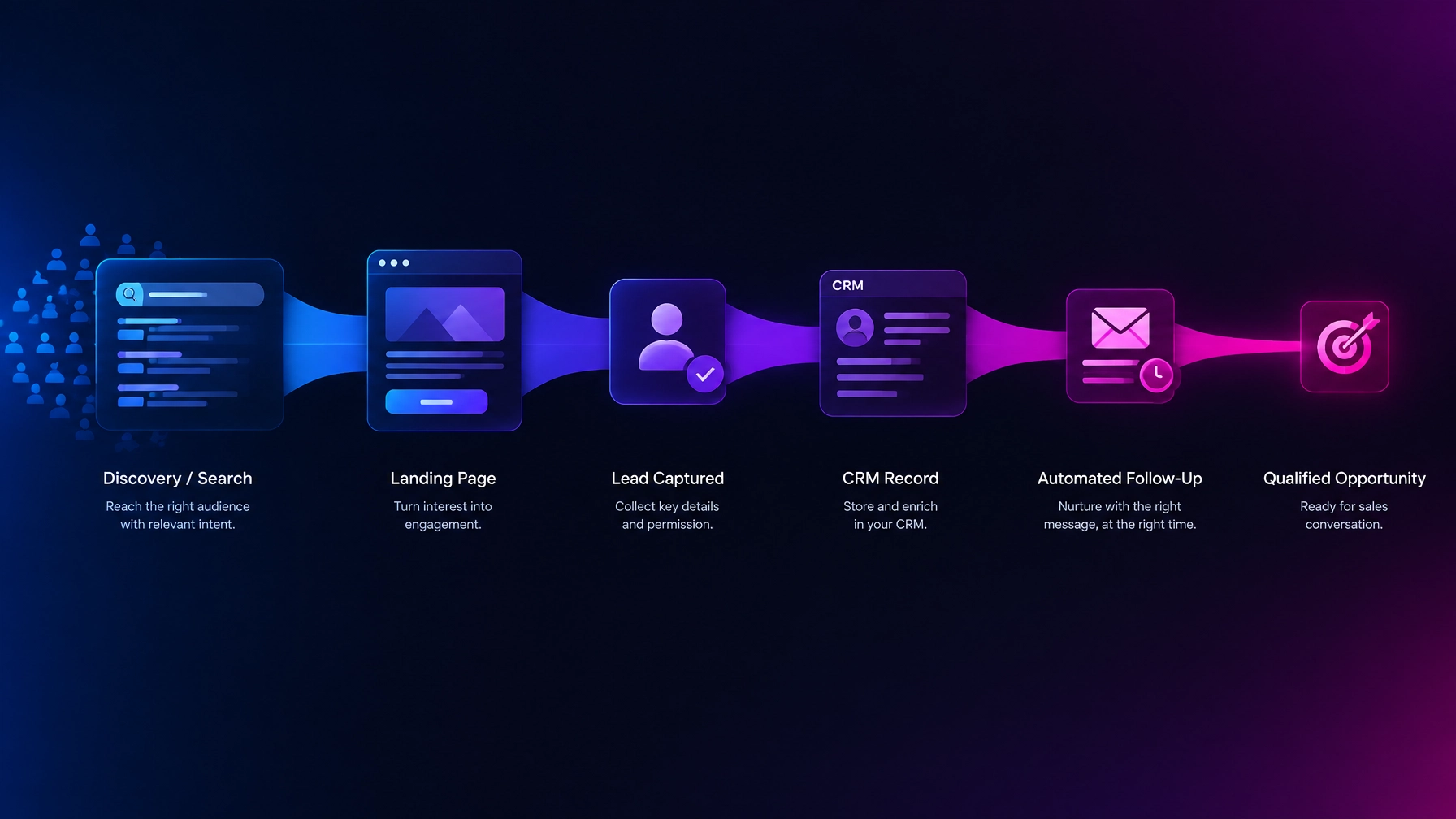
A perfectly optimized profile that funnels traffic to a slow, confusing website is a leaky bucket. The visibility gain gets wasted at the conversion stage. Local SEO, your website, and your follow-up systems need to work as one connected system, not three disconnected projects handled by three different vendors.
This is the core problem we solve at Holly Acre Media: fragmented marketing efforts that look busy but don’t produce momentum. Our services bring your Business Profile strategy, website, and CRM automation under one accountable roof, so a review request, a Google Post, and a landing page all reinforce the same message instead of working against each other.
Common Google Business Profile Mistakes to Avoid
The most damaging mistakes aren’t dramatic. They’re small inconsistencies and neglect that compound over months. Duplicate listings, stale photos, ignored reviews, and mismatched NAP data are the four most common issues we see when auditing new client profiles.
Avoid keyword-stuffing your business name field (Google actively penalizes this), never use a P.O. box as your address if you serve customers in person, and don’t let your hours go unupdated around holidays. Each of these erodes trust incrementally.
Frequently Asked Questions
How long does it take to see results from Google Business Profile optimization?
Most businesses start seeing measurable improvements in visibility and engagement within 4 to 8 weeks, though full ranking gains in competitive markets can take a few months. Consistency, regular posts, review responses, and updated photos, accelerates the timeline significantly.
Is Google Business Profile optimization free?
Yes, claiming, verifying, and optimizing your profile costs nothing directly through Google. The investment comes in time, strategy, and, for many businesses, the systems needed to generate reviews and content consistently at scale.
How often should I update my Google Business Profile?
You should post updates weekly and do a full audit of your information, photos, and Q&A at least once per quarter. Businesses in seasonal industries should also update hours, offers, and photos at the start of each season.
Can I optimize my profile myself, or do I need an agency?
You can absolutely optimize the basics yourself using the steps above, but scaling review generation, content consistency, and integration with your broader marketing stack is where most owners run out of time. If your profile work needs to plug into a larger, connected growth strategy, reaching out to a strategic partner is often faster and more reliable than managing it piecemeal.
Does website quality affect my Google Business Profile ranking?
Indirectly, yes. Google factors in engagement signals like click-through rate and time on site after someone clicks from your profile to your website. A slow or poorly designed site can suppress the ranking gains your profile optimization would otherwise produce.